
Your certificate expires on a Sunday.
You would rather find out on the Tuesday before.
SSLup watches certificate expiry and whether the site is actually up, in one place, and tells you through whichever channel you already read. Most tools do one of those and leave you buying a second.
14 days of everything, then it becomes a free plan that watches one certificate forever. Nothing to cancel, because we never took a card.
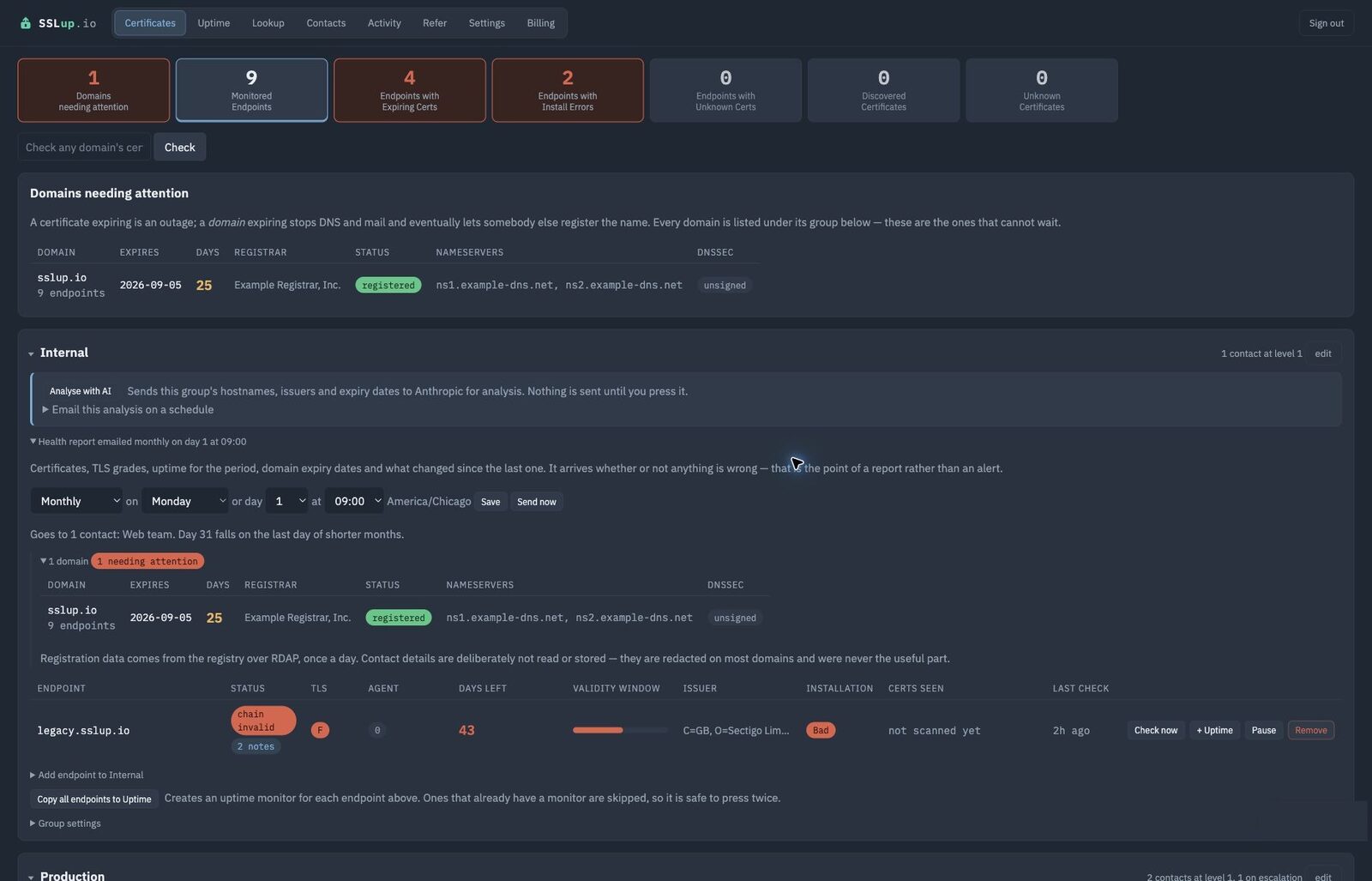
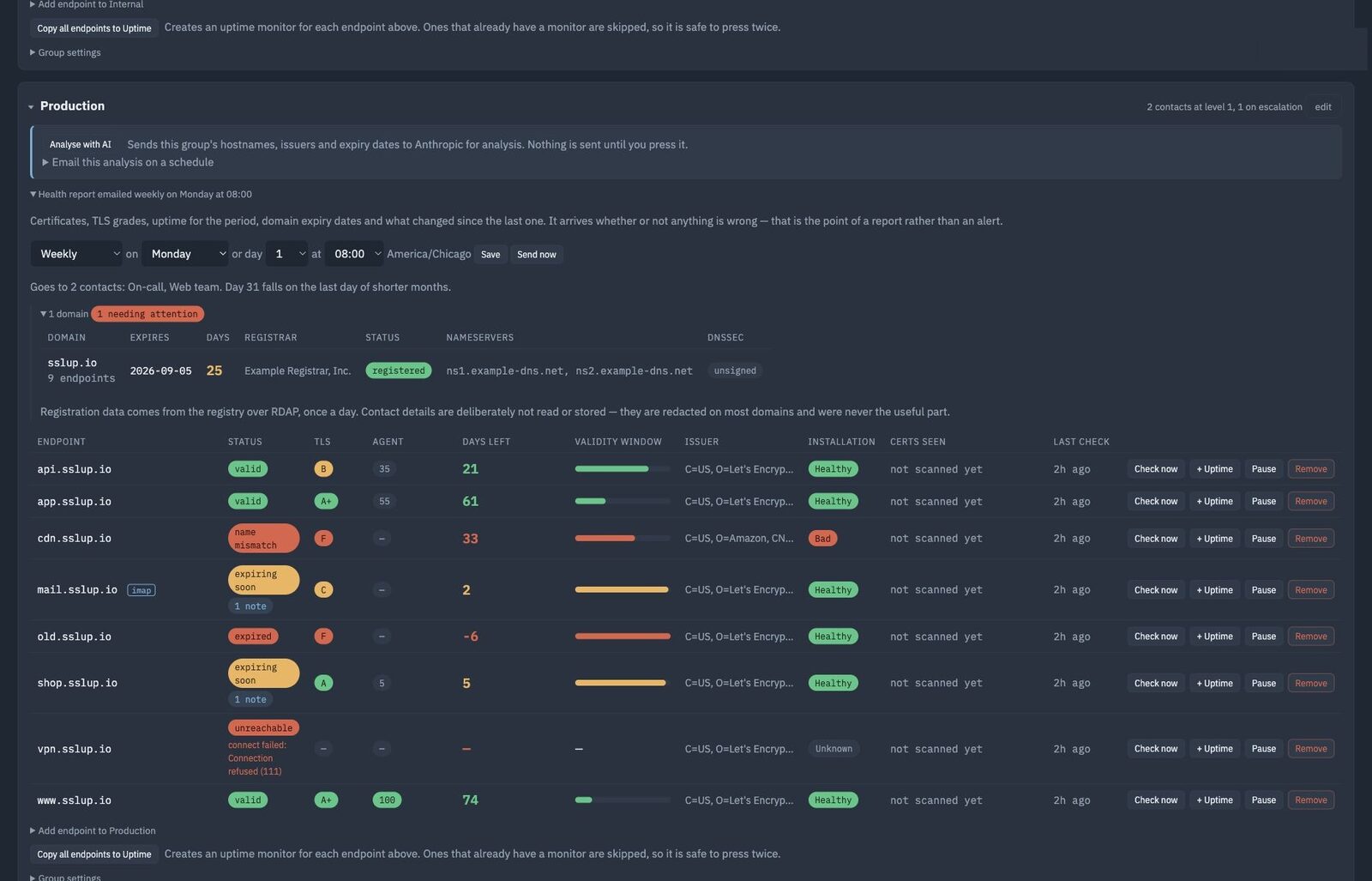
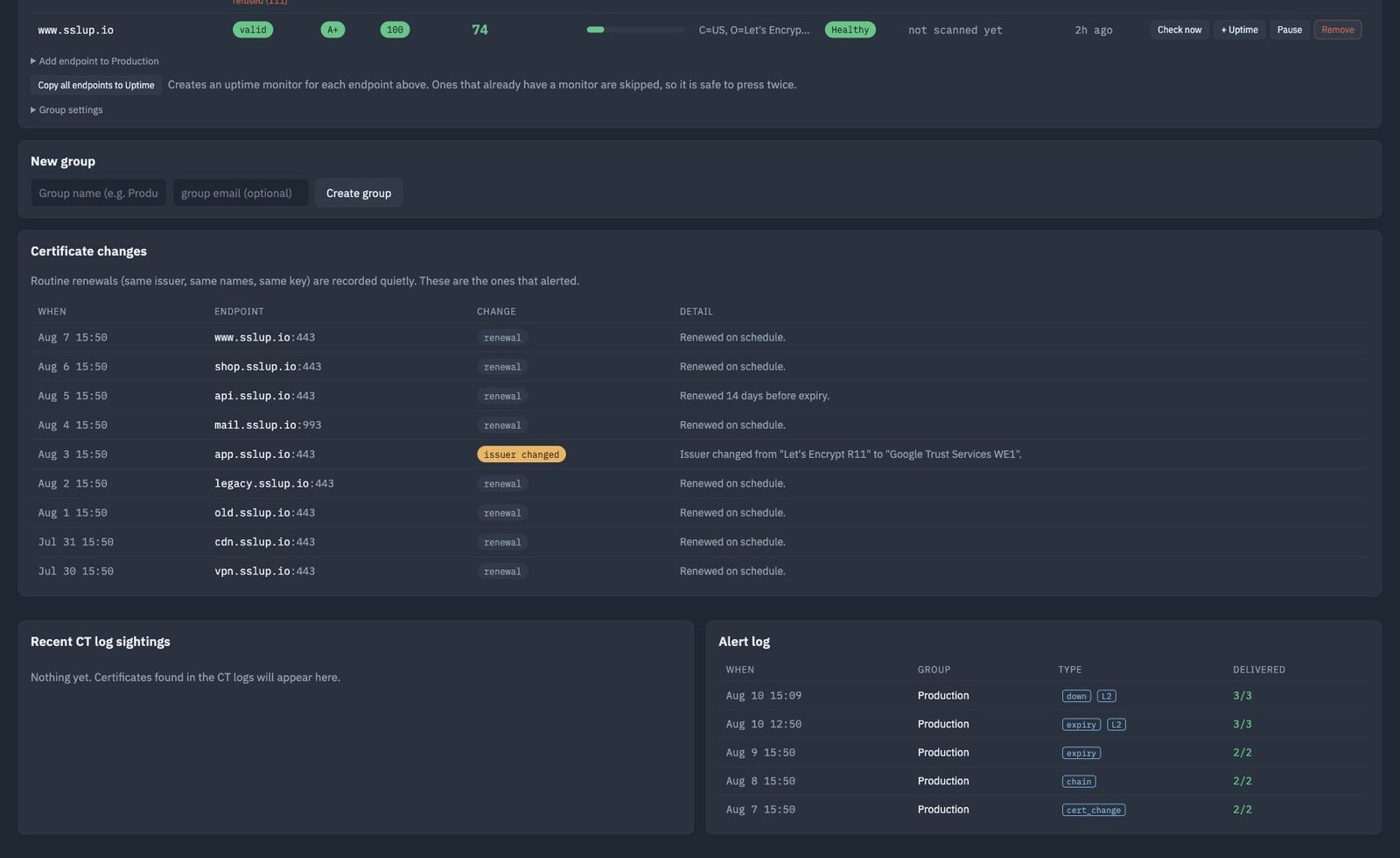
Which one do I do first?New
Twelve certificates expiring inside a month is a list. Which of them can wait until Monday is a judgement, and it is the part that takes the afternoon.
Press Analyse with AI on any group and SSLup sends that group’s hostnames, issuers, expiry dates and what the public logs show, and gets back a written assessment — what to do first, what the fleet looks like overall, and anything that does not add up.
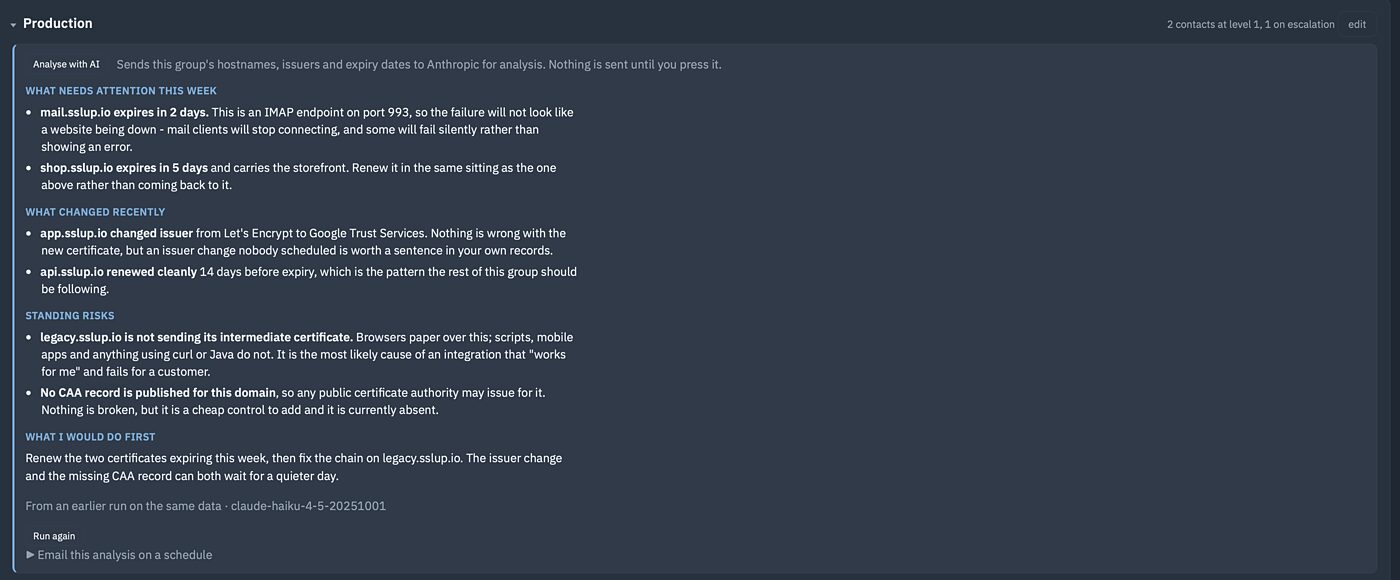
What to do first
Ranked by what actually breaks if you leave it — a production mail server ahead of a staging box with the same number of days left.
What does not add up
A certificate in the public logs that was never installed anywhere. An issuer nobody remembers choosing. Worth a human look, and now it gets one.
Or have it emailed
Weekly or monthly, on the day and hour you pick, to the contacts who asked for it. A fleet nobody opens the dashboard for still gets read.
Nothing leaves the server until you ask for it — by pressing the button, or by turning on the schedule underneath it. The tab says what gets sent before the first run, in the same words as this page.
On every paid plan, from 10 analyses a month. The 14-day trial includes 10. Not on the free plan, and off until you turn it on.
New · Free check
Can someone send email pretending to be you?
Check public SPF, DKIM, DMARC, subdomain policy, MTA-STS, TLS reporting and DNSSEC protections. The result explains what is exposed and the safe order to repair it.
No account, mailbox access or test email. We read public records and do not save the one-time result.
Check my domainThree things that go wrong, and what you see
It expired
The boring one, and still the most common outage anybody has. Checked daily on every plan, hourly on paid ones, with warnings long before the date rather than on it.
It changed when nobody changed it
A new issuer, a new key, names added or removed. SSLup reads the public certificate logs for your domains, so a certificate somebody else issued for your name is something you hear about.
The certificate is fine and the site is down
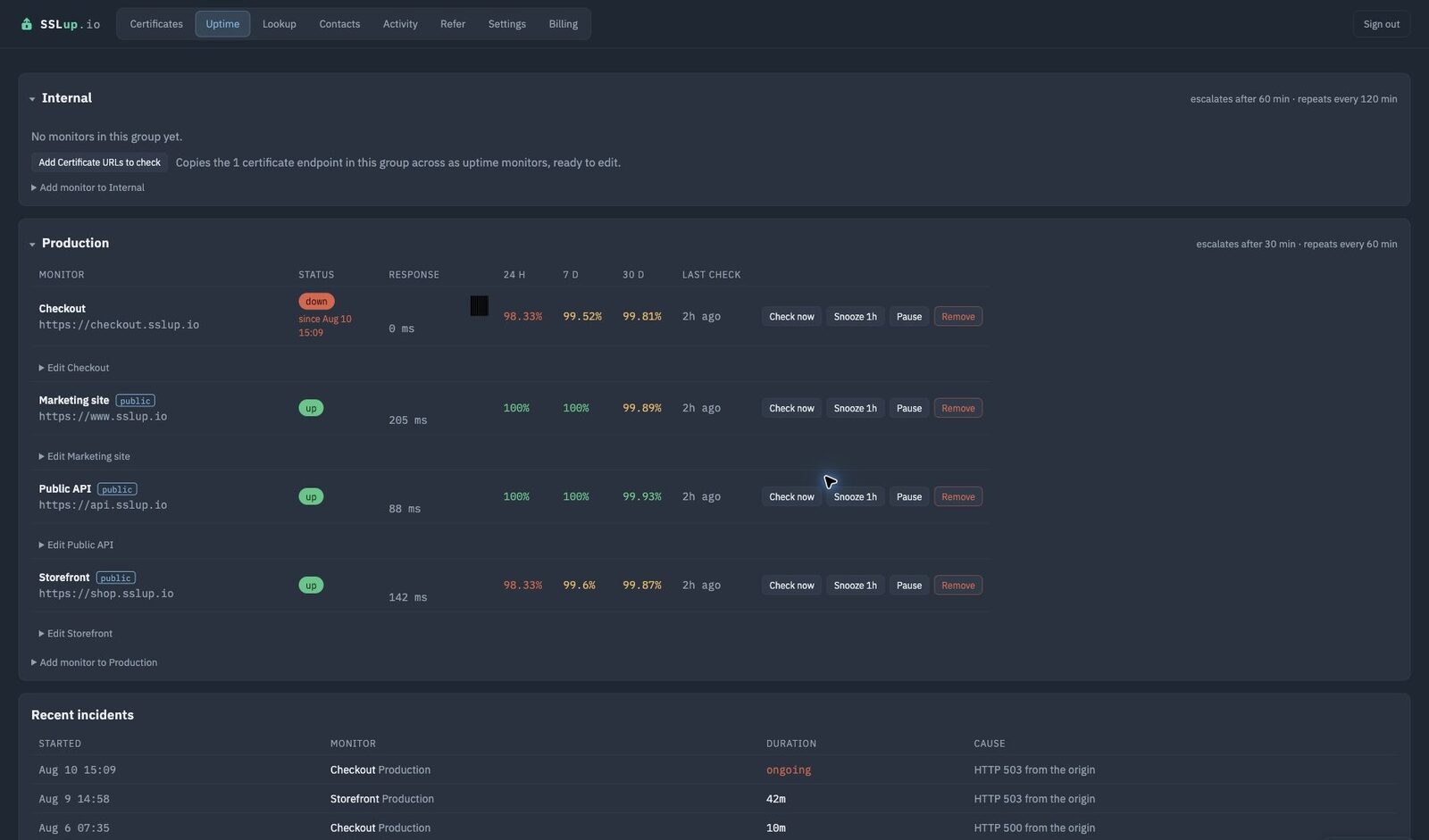
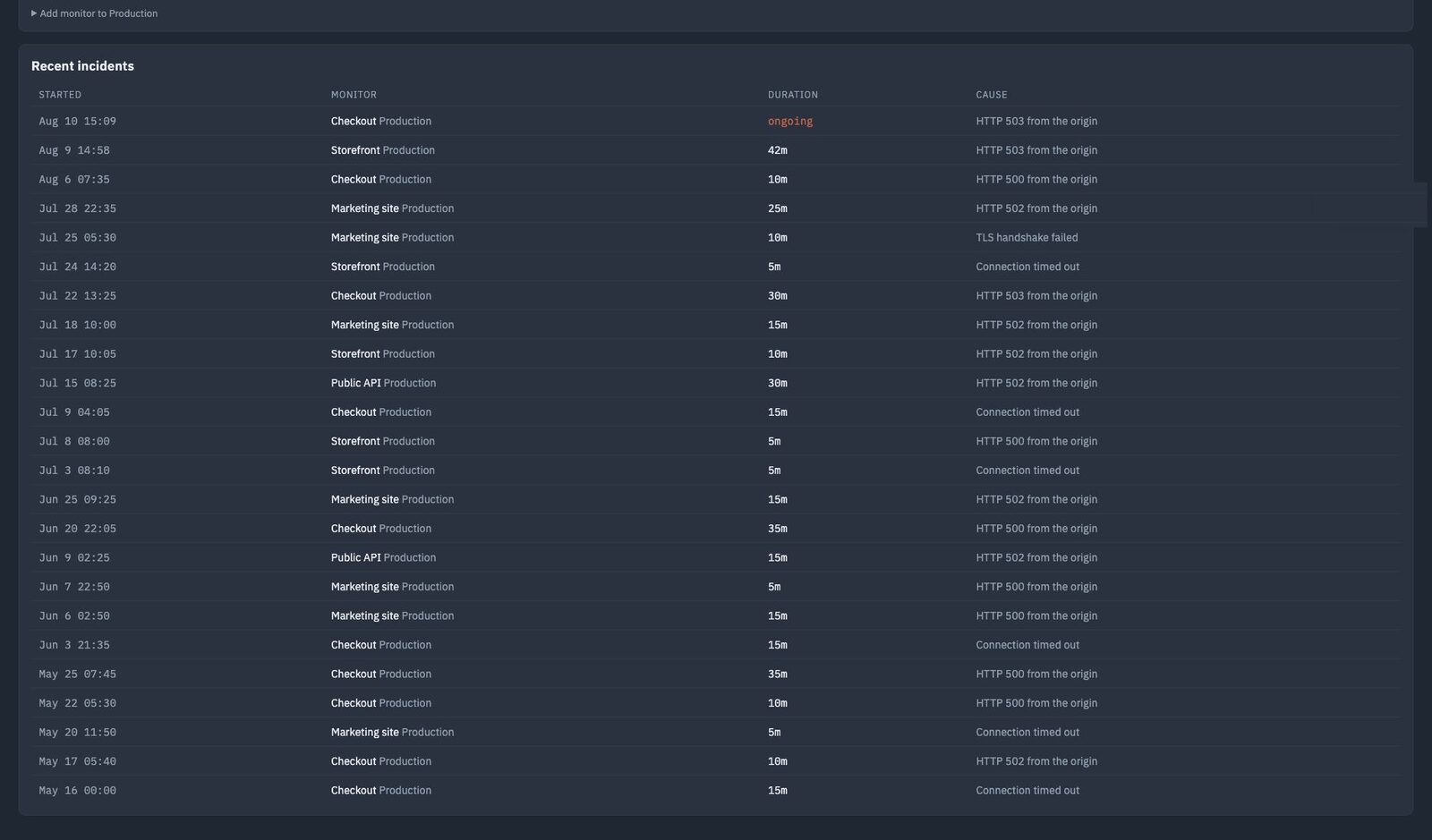
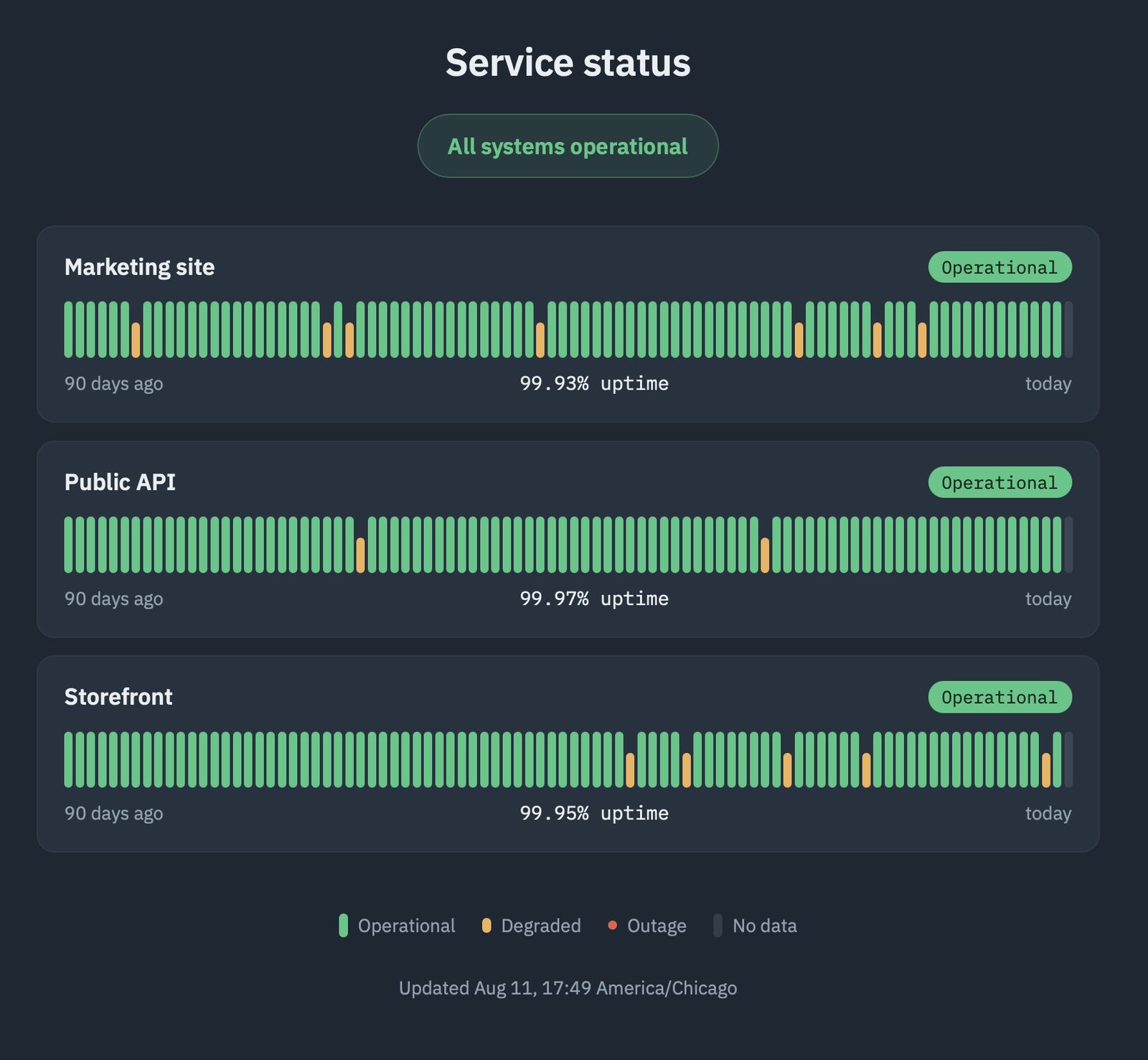
A valid certificate on an unreachable server is still an outage. Uptime checks as often as every five minutes, with incident history and a public status page.
Told the way you actually work
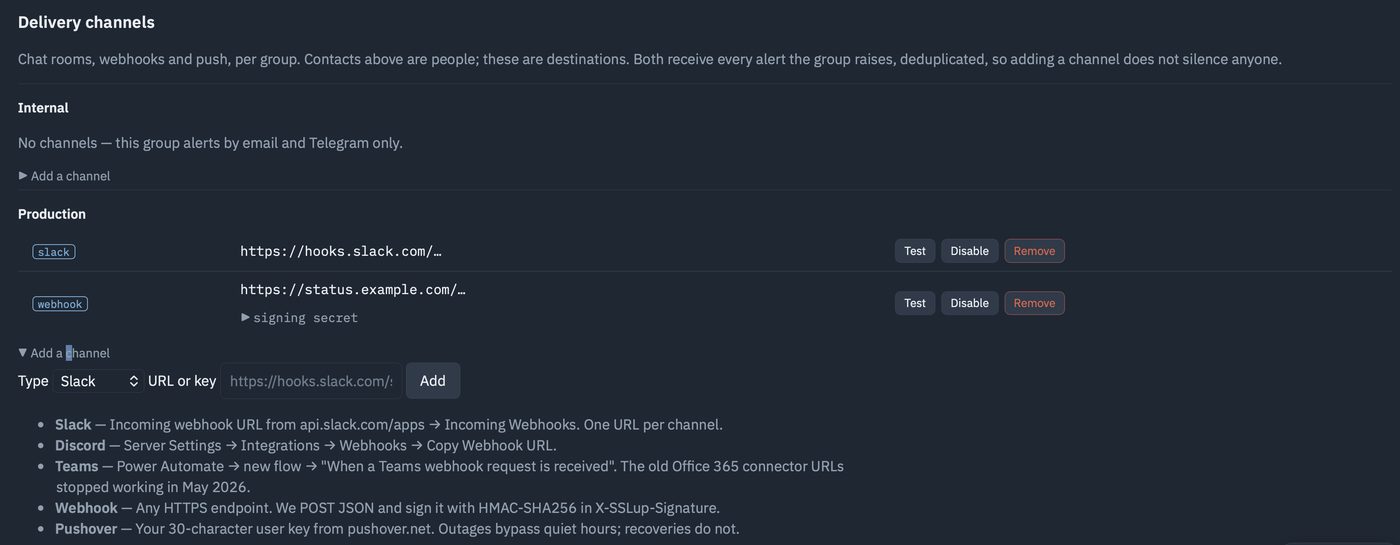
Email, Slack, Teams, Discord, Telegram, Pushover and plain webhooks — per group, per severity, so the people who need paging get paged and everybody else gets a digest.
Escalation after a delay, repeats until acknowledged, and maintenance windows so planned work does not wake anyone.
Uptime, with the history to back it up
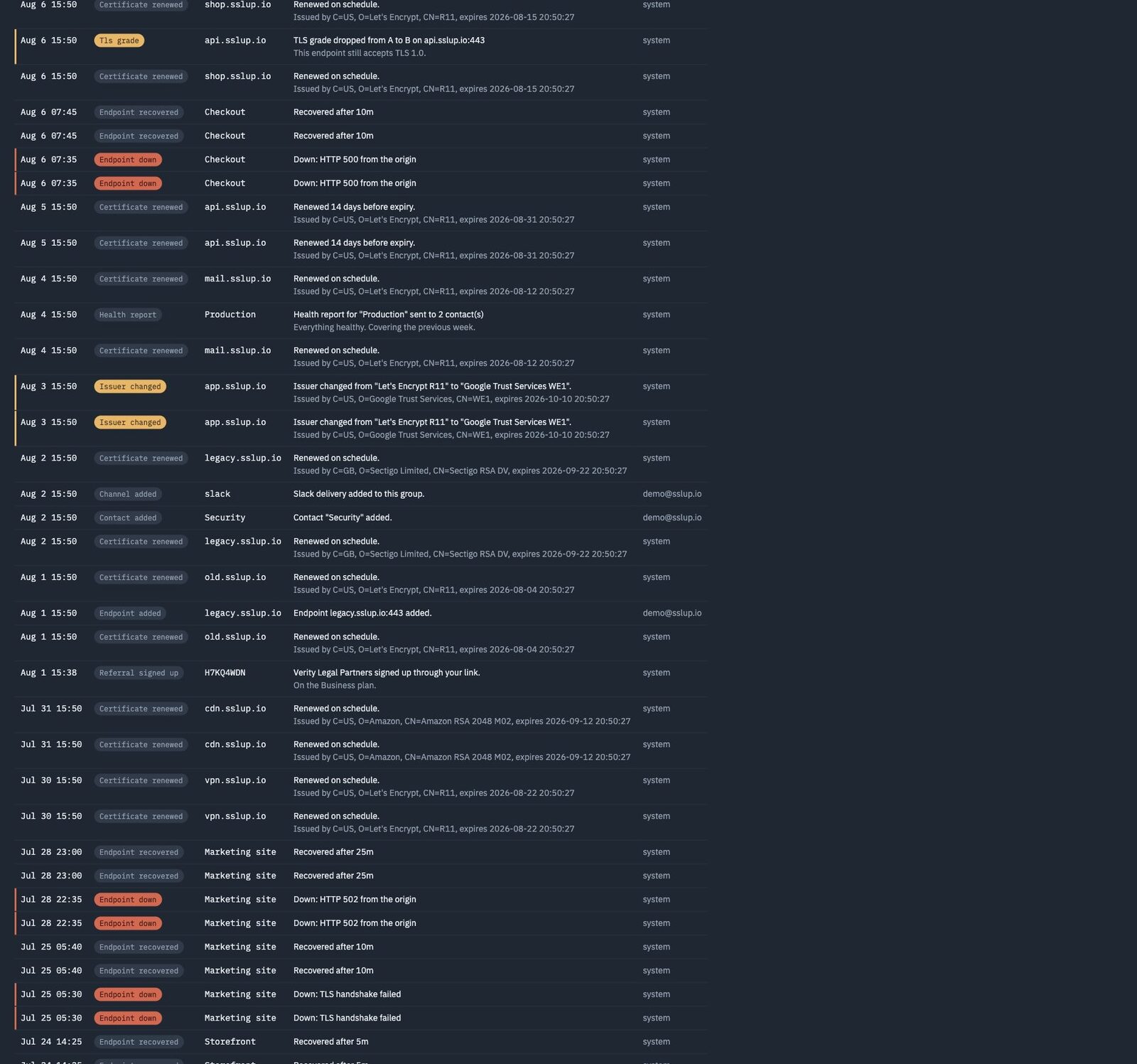
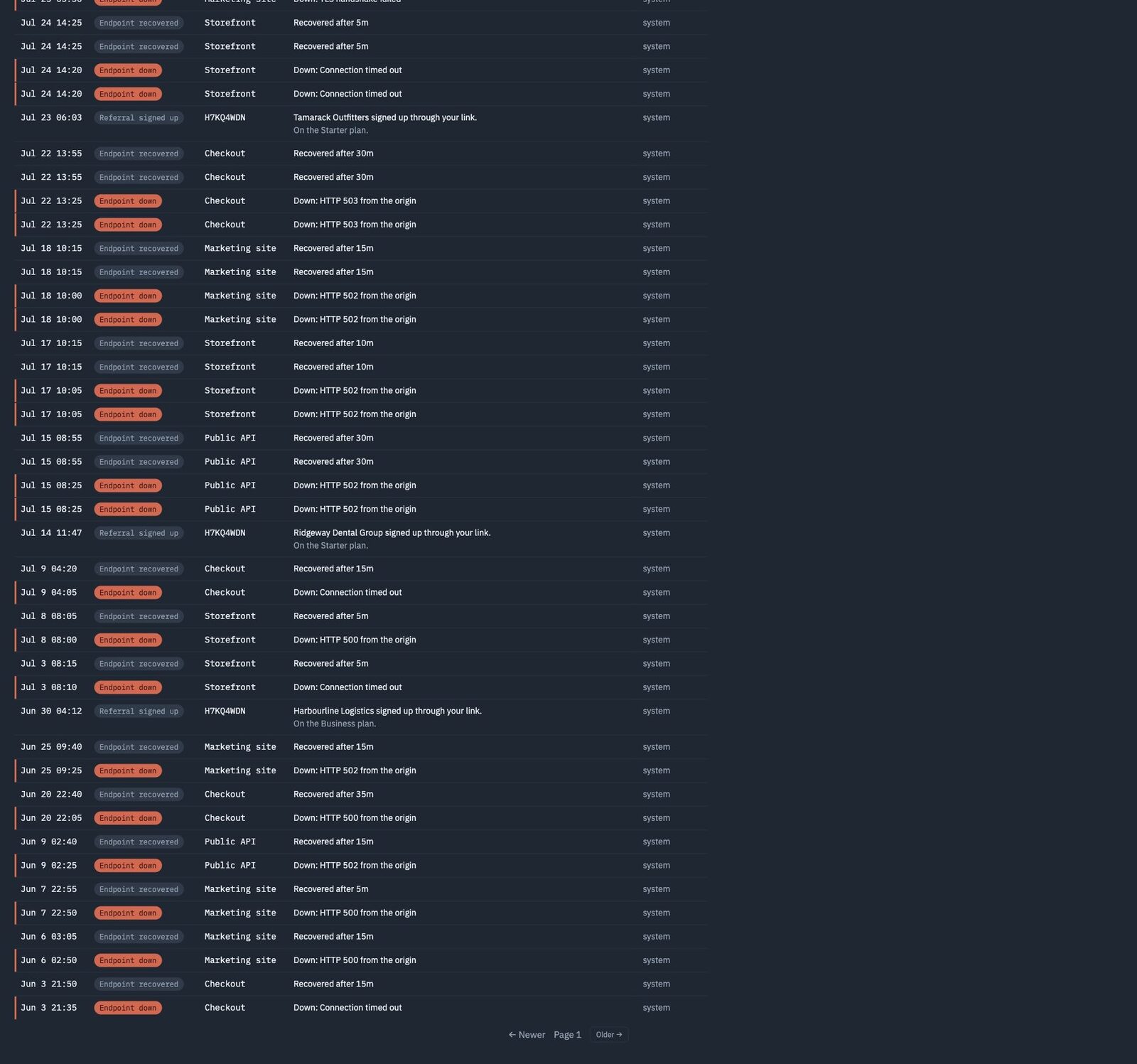
An audit trail you can hand to somebody
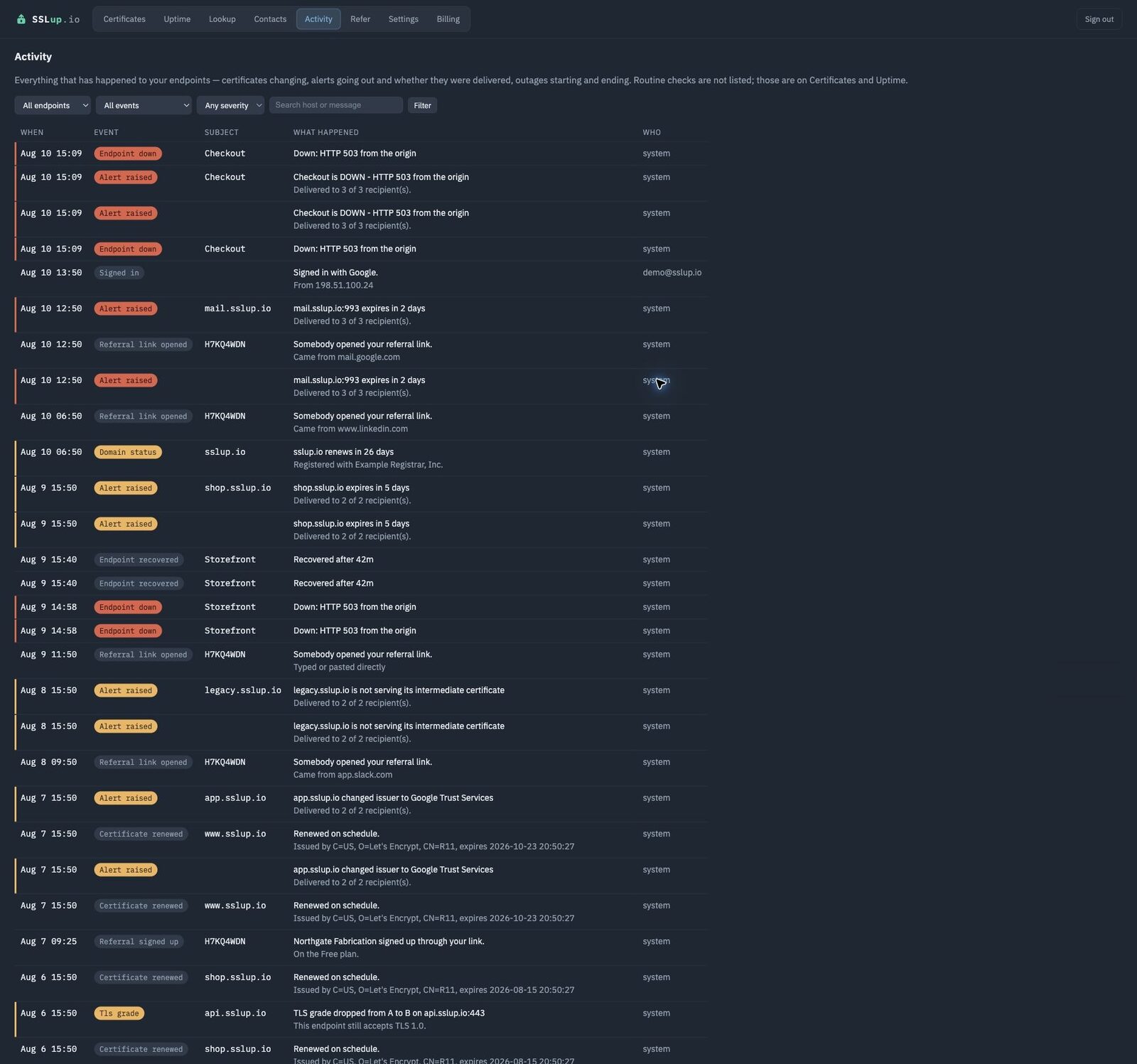
Every certificate change, every alert raised, every sign-in and every administrative action, with who did it and when.
When somebody asks why a certificate changed on the 14th, the answer is a row rather than an afternoon.
Introduce someone, and stop paying for this
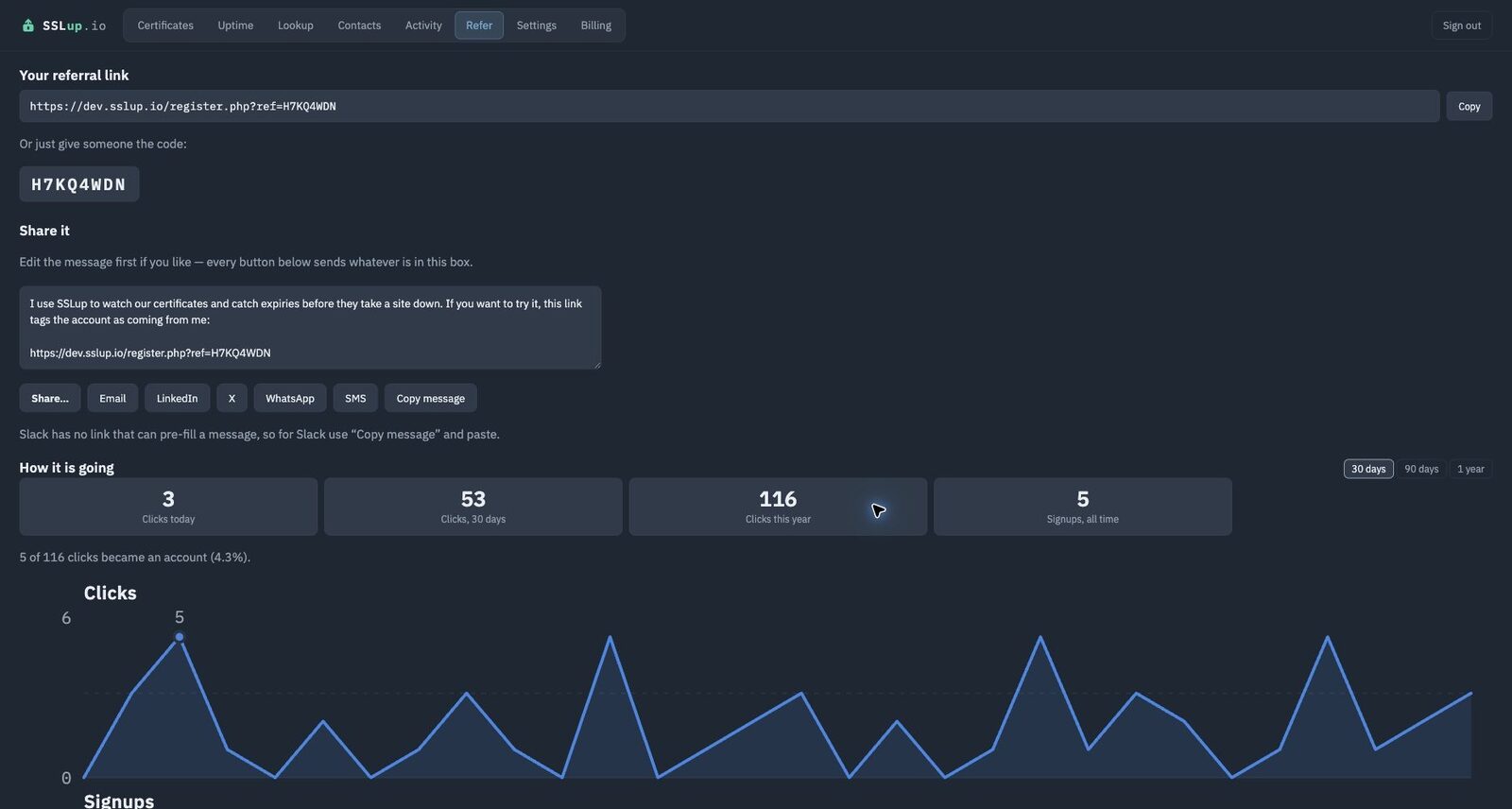
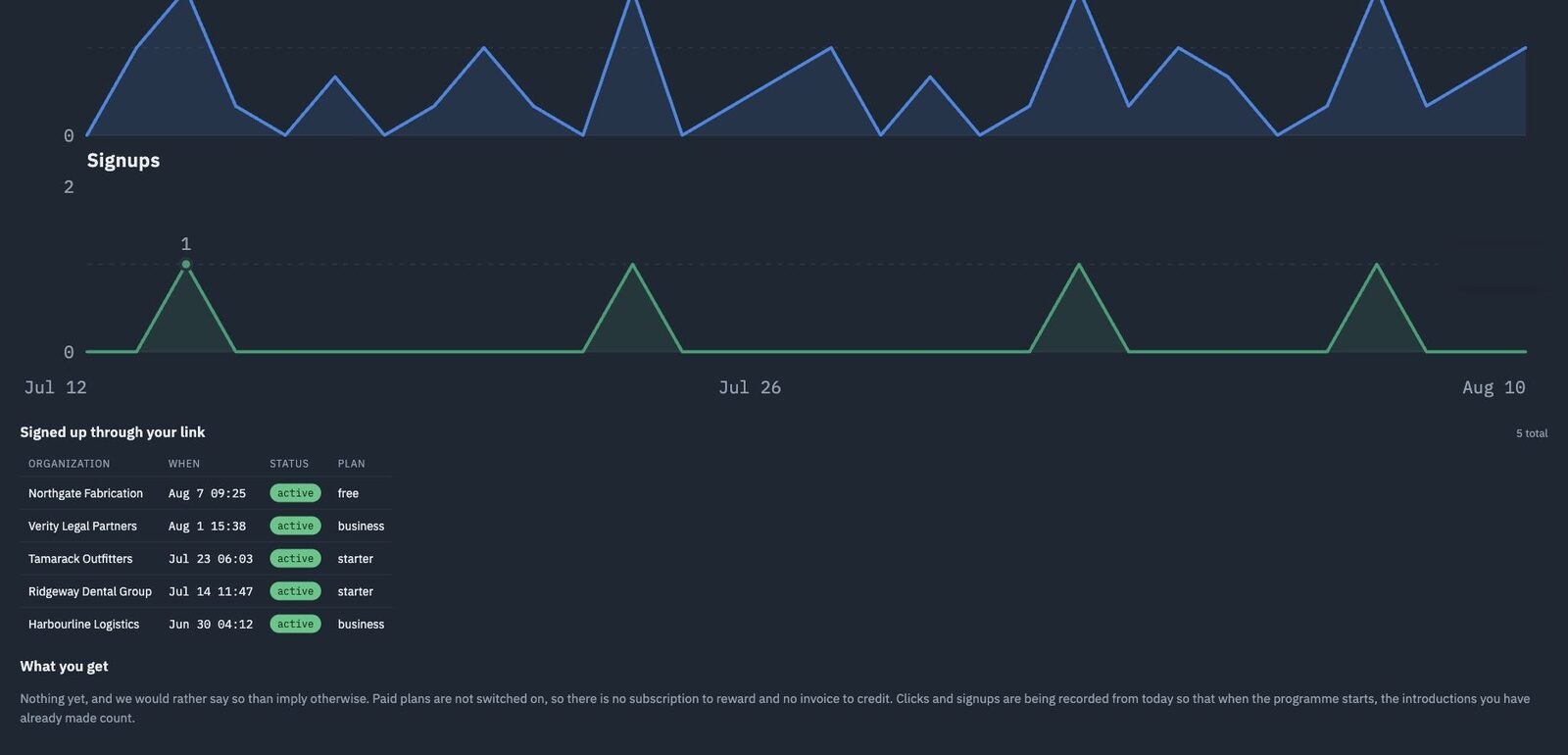
Every account gets a referral link and a short code you can read down a phone. Clicks and signups are attributed to it, so an introduction you made is one you can point at.
When somebody you introduced comes through the 14-day trial and pays their second month, you get a credit worth one month of the plan they chose — at the monthly list price, even if they paid for a year up front. Introduce somebody onto a plan larger than your own and that single credit covers several months of yours.
They get something too. Their third month is free, or a credit against renewal if they are paying annually.
There is no limit on how many people you introduce. Two bounds keep that from being open-ended, and we would rather print them than bury them: credit expires twelve months after it is earned, and your balance is capped at twelve months of your own plan — or of the smallest paid plan, if you are still on Free. Free accounts can refer, and spend what they earn moving up.
The programme starts when billing does. Clicks and signups are being recorded now, so introductions made today already count toward it.
Start on the free plan and see
One certificate, watched forever, no card. Or take 14 days of everything and decide afterwards.